Top 5 Databox Alternatives 2026
Explore 5 databox alternatives to efficiently compare tools for data visualisation and enhance your client reporting efficiency.

Managing client and campaign data across channels clutters marketing reporting and slows down analysis. Many reporting tools restrict advanced features or transparent pricing to higher tiers, leaving smaller teams without full analytics access. This comparison covers pricing, automation, connector coverage, and analytics features across five marketing reporting platforms, so marketing teams can pick the best Databox alternative for their workflow.
MyContentLab
At a Glance
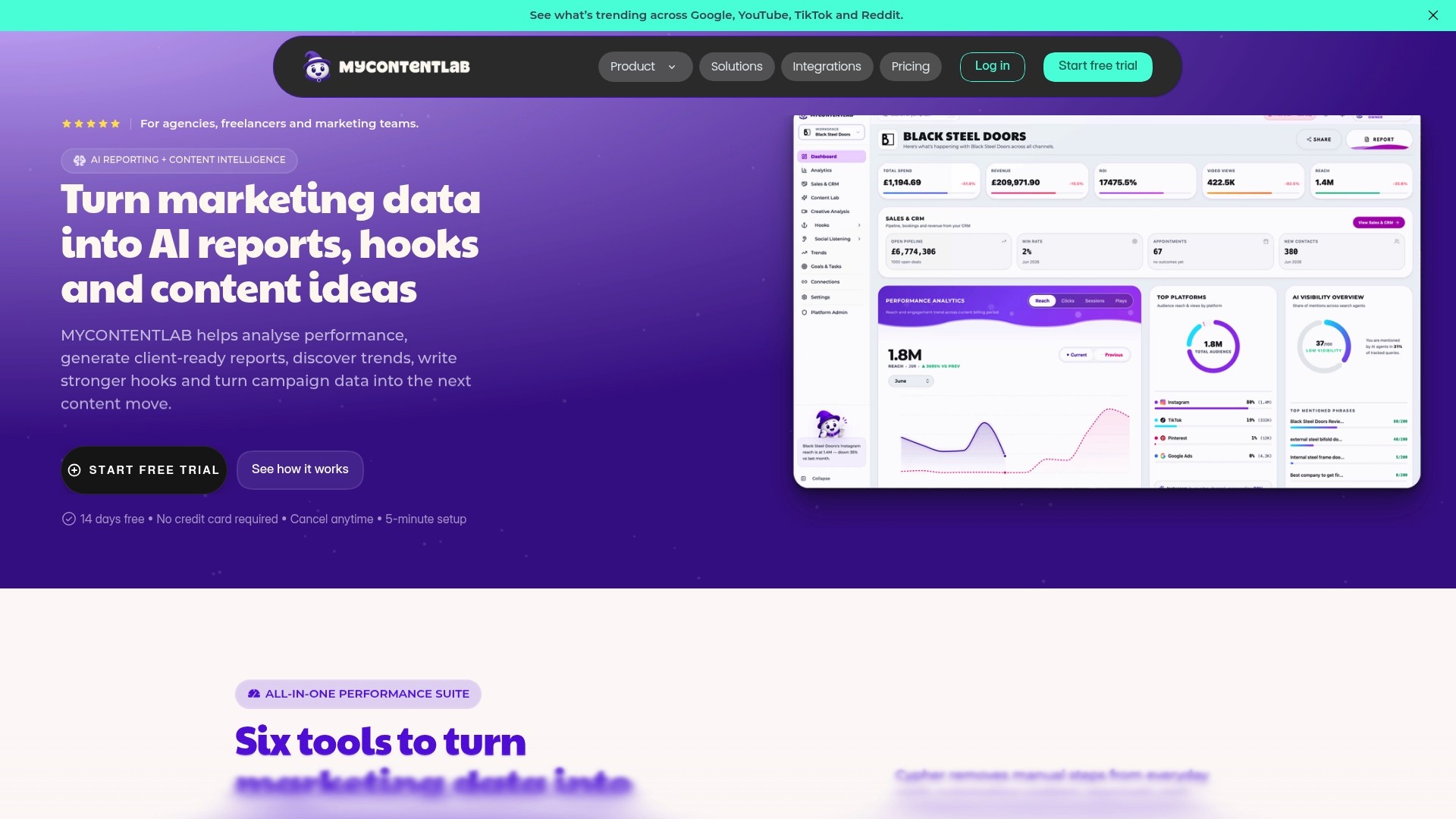
Plans start from £47/month, with higher tiers offering unlimited client management. The platform bundles cross channel reporting, content ideation, and social listening into a single workspace. The company says teams report clearer client communication and faster reporting from real-time data.
Core Features
MyContentLab delivers AI-powered performance reporting and automated summaries alongside cross channel analytics for Google, YouTube, TikTok, and Reddit. It turns campaign metrics into content ideas, hooks, and scripts and supports hook testing for videos, ads, and social posts. The workspace includes trend monitoring and social listening so teams can track web mentions and Reddit conversations without switching tools.
Key Differentiator
The defining strength is the integrated combination of reporting, creative ideation, trend discovery, and social listening inside one workspace. That single workspace reduces context switching and keeps campaign data directly connected to content planning. Agencies benefit when insight loops feed creative tests without exporting spreadsheets.
Pros
The platform automates report generation and supplies AI summaries that cut manual writing time. Multiple workspaces and white label options allow agencies to manage many clients and deliver branded reports. Pattern detection links performance signals to content ideas, letting teams prioritise concepts that match historical gains. The vendor advertises tools for generating hooks and scripts from real metrics, which speeds creative briefs for paid and organic campaigns.
Cons
Some advanced features sit behind higher tier plans, which limits access to deeper analytics for smaller teams.
Who It's For
Agencies and freelancers who run many client accounts will find the workspace helpful. In-house marketing teams that need content planning tied to performance metrics will also benefit. Teams focused on video and short form social platforms gain most from the hook testing and script generation features.
Unique Value Proposition
The platform converts raw campaign metrics into ready to use content angles, hooks, and scripts within the same interface. That approach saves time on brief writing and keeps creative experiments linked to measurable signals. For fee based teams, fewer hand offs between analysts and creatives reduces administrative overhead and shortens the path from insight to test.
Real World Use Case
A digital agency consolidates client data into MyContentLab and schedules monthly branded reports automatically. Analysts use the AI summaries to highlight performance shifts. Creative teams pull suggested hooks and test scripts derived from top performing posts to iterate paid creative faster.
Pricing
Pricing follows a subscription model with flexible plans starting from £47/month. Tiers target freelancers, agencies, and enterprise teams, with higher plans offering unlimited client management and additional capabilities.
Website: https://mycontentlab.ai
AgencyAnalytics
At a Glance
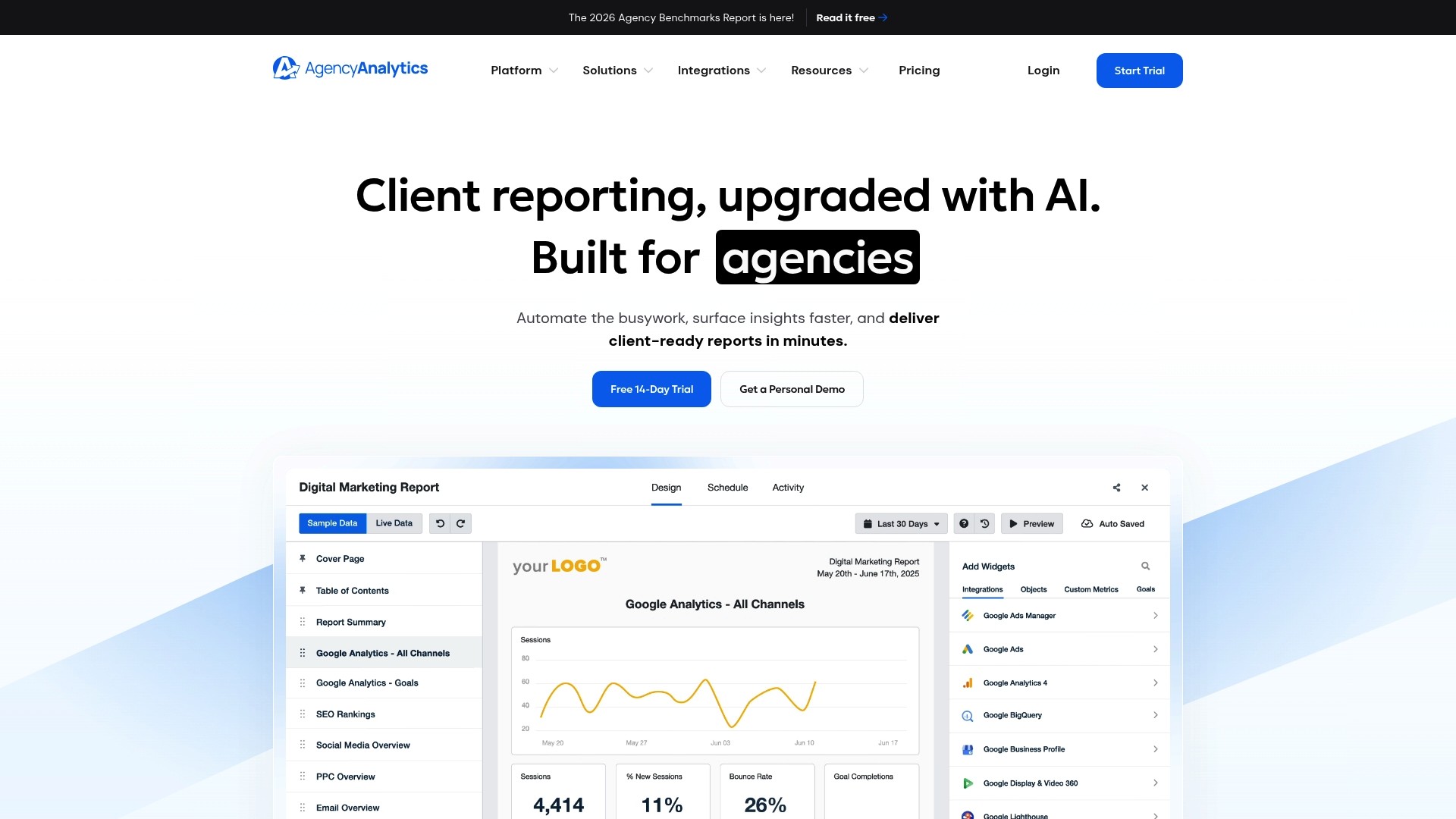
AgencyAnalytics reports it has been trusted by over 7,000 agencies since 2010. The platform pairs automated client reporting with AI powered insight to surface campaign trends quickly. It connects across 85+ integrations and includes benchmarks and forecasting for campaign planning.
Core Features
Automated client reporting, AI insights, and white label branding let agencies schedule exports and present branded dashboards. A client portal and forecasting tools include trend predictions and anomaly detection for campaign monitoring. Templates and onboarding support reduce repetitive setup across multiple accounts.
Key Differentiator
The standout is the platform's AI powered insight layer that flags emerging trends and anomalies early. That feature ranks signals across channels, so teams can focus on the most urgent issues. For agencies handling many clients, the insight feed shortens time spent scanning dashboards.
Pros
The vendor states automation saves hundreds of hours annually. Integration coverage reduces manual data wrangling and keeps metrics centralised. Customisable dashboards and white label reports make client presentations consistent and easier to scale. Dedicated onboarding and support shorten time to productive use, and buyers reported improved professionalism and client retention.
Cons
Some buyer reviews indicated a learning curve for setup and customisation.
Certain visualisations offer limited advanced customisation compared with specialised BI tools.
Higher tier plans can be costly for very large or scaling agencies.
When It May Not Fit
Agencies that need multi account connections for particular platforms will find some integrations restrict single account access. Teams seeking deep visual customisation may require training or paid support to build complex layouts. Very large operations should compare enterprise pricing against their expected savings.
Notable Integrations
Google Analytics
Meta Ads
Google Search Console
SEMrush
HubSpot
Mailchimp
Facebook
Who It's For
Marketing agencies managing multiple client accounts will see the most value. Agencies focused on recurring reporting and branded deliverables will appreciate the white label features and client portal. Smaller teams without a dedicated analyst will benefit from the AI insight feed and report templates.
Real World Use Case
A digital marketing agency unified data from multiple platforms and automated reports for over 100 clients. The team provided branded dashboards and reduced manual report assembly. The result was faster monthly delivery and improved client satisfaction.
Pricing
Plans start at $20 USD per client per month when billed annually, with enterprise options available for larger teams. Agencies should review seat and feature limits when comparing tiers.
Website: https://agencyanalytics.com
Oviond
At a Glance
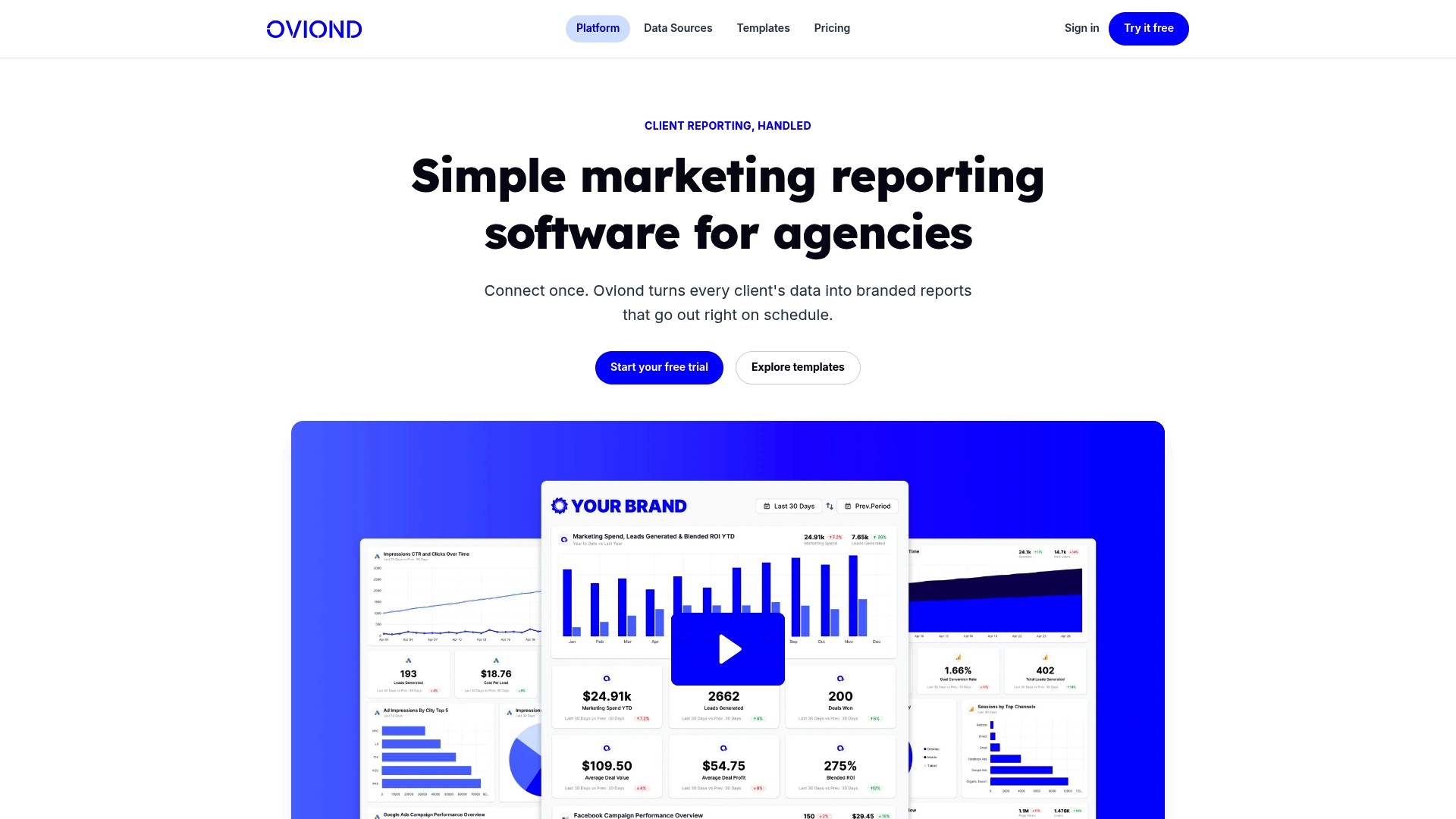
Connects to more than 50 data sources, including Google Analytics, Google Ads and Facebook Ads. It bundles ready-made templates, a drag and drop report builder and white label branding for client-facing reports. The platform also advertises AI-assisted reporting tied to Claude, ChatGPT and MCP-ready tools.
Core Features
Oviond links analytics, paid media, social, email, CRM and e-commerce platforms into a single reporting layer and offers API access for custom imports. The report builder uses a drag and drop interface plus custom queries and templates so non-technical staff can assemble client decks. Scheduling, goal setting and automated delivery sit alongside AI-assisted report drafting within the same workspace.
Key Differentiator
The platform’s standout claim is its support for MCP-ready AI integration, which aims to let you generate draft reports and commentary inside the product. That capability reduces the manual writing time required for month-end decks. If you rely on AI to produce narrative around metrics, this is the feature that most clearly separates Oviond from standard dashboard tools.
Pros
Connecting multiple marketing data sources is straightforward, so consolidating client accounts takes less time than building spreadsheets. The templates and drag and drop builder let account managers produce branded reports without developer help. White label options and custom domains make the output look like an agency deliverable, and API access lets engineers pull raw data if needed.
Cons
Integrations occasionally drop and require manual reconnection, which interrupts scheduled reports.
The user interface has been described as dull by some reviewers and could use a visual refresh.
PDF report creation can show bugs, leading to extra checks before client delivery.
There is no mobile app, which limits on-the-go access and quick checks from phones.
When It May Not Fit
If your team needs flawless, mobile-first access to reports, Oviond may frustrate because there is no mobile app. Agencies that demand perfectly consistent PDF exports for high-stakes board reports could hit the PDF bugs noted above. Smaller teams with very low tolerance for onboarding may find the initial setup and mapping of many sources takes time.
Notable Integrations
Google Analytics, Google Ads, Facebook Ads, Instagram, Google Search Console, LinkedIn Ads, Microsoft Ads and Mailchimp. These connectors cover the majority of media and web analytics data most agencies need for client reporting.
Who It's For
Marketing agencies and in-house teams that manage multiple client accounts and need branded monthly reports. It suits teams that want to automate recurring reporting while keeping control over templates and domain branding. Technical teams that require API access will find the platform flexible for bespoke exports.
Real World Use Case
An agency connects Google Analytics, Facebook Ads, email tools and CRM data to Oviond, then schedules monthly reports for each client. The team uses templates and the AI-assisted drafting to speed up commentary for performance changes. Scheduled emails and dashboards deliver consistent reports without manual consolidation.
Pricing
Pricing starts at $39/month when billed annually, with the first five clients included in that tier. The vendor states the per-client rate falls as you add more clients, which makes the model attractive for agencies that scale client volume.
Website: https://oviond.com
Swydo

At a Glance
Swydo reports it is trusted by over 2,500 companies in more than 80 countries. The platform advertises AI-powered report summaries alongside white-labeling for agencies. It also lists more than 32 integrations, covering major ad platforms and analytics tools.
Core Features
Swydo offers drag-and-drop report building with a library of customisable templates and visualisations for client reporting. It monitors KPIs with real-time alerts and data health checks so you spot issues quickly. The platform combines reporting, monitoring, white-label branding, and export options into a single workflow.
Key Differentiator
The clearest difference is the combination of AI-powered report summaries and broad connector coverage. That mix lets agencies generate narrative summaries automatically while pulling multiple ad and analytics feeds into one report.
Pros
The interface is easy to use, with drag-and-drop creation and ready-made templates that cut report build time. Integration strength across ad platforms and analytics sources reduces manual data consolidation. White-label features let agencies present polished client reports under their own brand, and the vendor advertises positive reviews on G2 and Capterra for ease of use and support.
Cons
Pricing transparency is limited. The public site does not list full tier details for larger accounts.
Cost may rise significantly as you add many data sources. That scenario could make the platform expensive for agencies with extensive connector needs.
Advanced analytics capabilities are not described in detail on the website. Teams needing built-in statistical modelling may find the documentation sparse.
When It May Not Fit
If your agency needs fixed, predictable pricing for dozens of connectors, Swydo may not match budget constraints. If your team requires embedded advanced analytics or custom modelling, the platform does not advertise those features. Organisations that demand full public pricing detail will need to contact sales for clarity.
Notable Integrations
Google Ads
Facebook Ads
Google Analytics 4
Google Sheets
LinkedIn Ads
TikTok Ads
Microsoft Ads
YouTube
Who It's For
Swydo suits digital marketing agencies managing multiple clients and campaigns that want automated, branded reporting. It fits teams that prioritise fast report production and straightforward KPI monitoring. Smaller in-house teams that need polished client-ready dashboards will also find its templates useful.
Real World Use Case
An agency pulls Google Ads, Facebook Ads, and LinkedIn Ads into one dashboard and schedules weekly client reports. The team uses the AI summaries to add narrative context without writing each report manually. That saves hours per client and frees time for strategy discussions.
Pricing
The vendor lists a One Plan model at $69/month billed annually, with tiered pricing for additional data sources. A 14-day free trial is available for new accounts.
Website: https://swy.do
Two Minute Reports
At a Glance
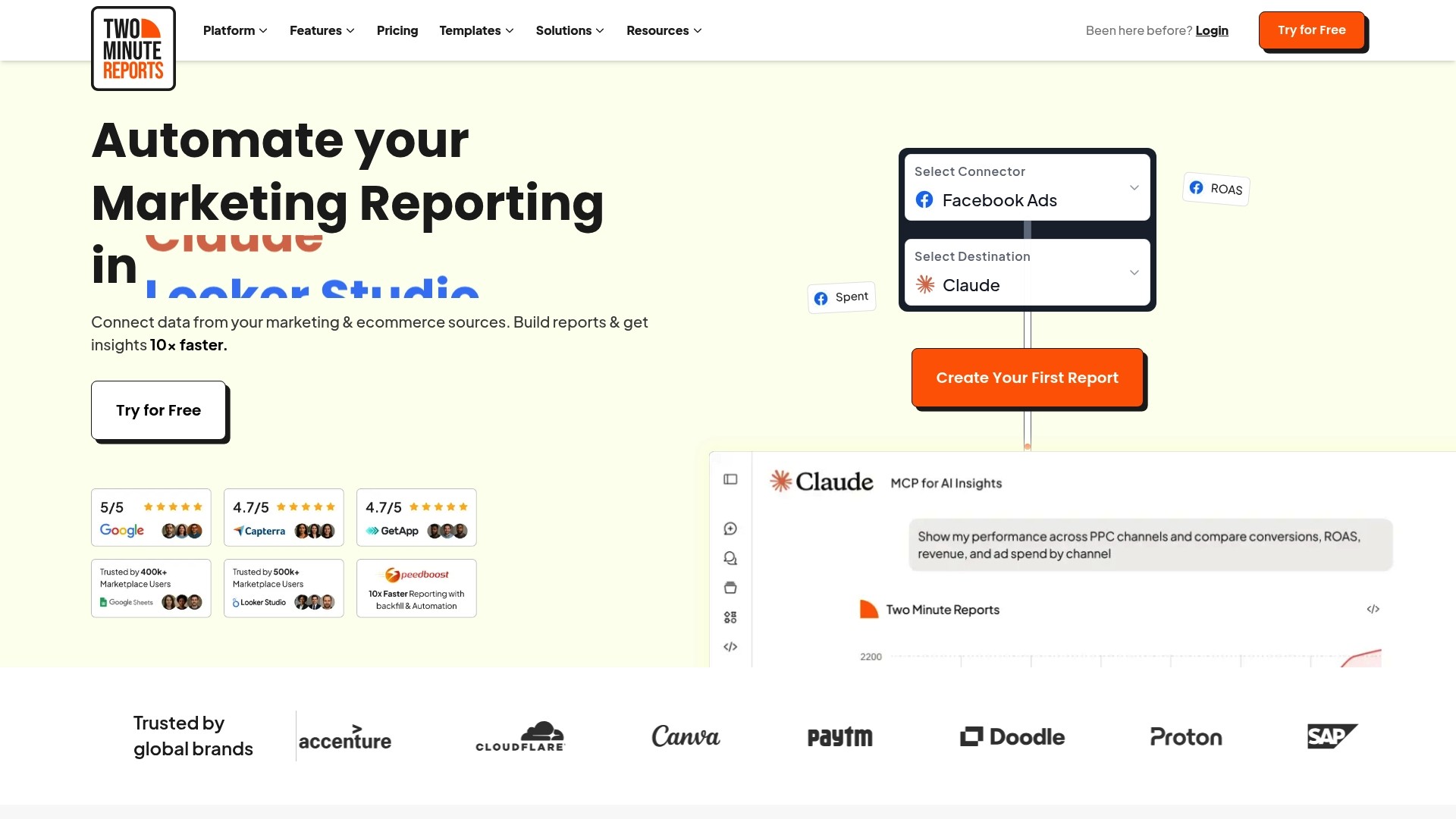
Two Minute Reports' marketing materials state it loads large datasets in under 5 seconds. The vendor also says it is trusted by thousands of agencies and brands across more than 78 countries. The product converts multi-source marketing data into branded dashboards and scheduled reports for agencies and in-house teams.
Core Features
The platform connects data from 30+ sources and provides pre-built templates for advertising, web analytics, SEO, and social media. Users can apply white labelled report styling and set automated scheduling and delivery for recurring reports. Data blending, live updates, and error alerts allow a single dashboard view across channels.
Key Differentiator
The standout claim is consistent high-speed dataset loading combined with broad ad, analytics, and commerce integrations. That performance claim, paired with embedded AI insights, aims to keep dashboards current while reducing manual refresh work. The result targets teams that need branded, cross-channel reporting with near real-time data.
Pros
Fast loading and responsive report rendering reduce waiting time when you switch between large data views. Custom branding and white labelled exports make client deliverables look polished without extra design work. Automation for scheduled emails and live dashboards removes repetitive tasks, and built-in AI insights help flag anomalies or optimisation opportunities more quickly.
Cons
Limited mention of native mobile app access suggests primary use is desktop or browser based. This limits on-the-go editing and viewing.
Pricing is not published upfront, which may deter smaller teams that need clear budget figures before committing. The vendor lists a free trial but no tiered costs.
Initial configuration can be complex for teams unfamiliar with data workflows, so expect an onboarding period.
When It May Not Fit
If your team relies on a dedicated mobile app for reporting, this product may not meet that need. Small agencies seeking transparent list prices will find the lack of published tiers frustrating. Teams without a staff member comfortable with connectors and data blending may need external setup support. Organisations needing instant, out-of-the-box simplicity could prefer a lighter reporting tool.
Notable Integrations
Two Minute Reports includes direct connectors for major ad and analytics platforms such as Facebook Ads, Google Ads, and Google Analytics 4. It also links to Reddit Ads, Amazon Ads, and commerce platforms like Shopify, plus databases including MySQL and PostgreSQL.
Who It's For
Marketing teams, agencies, and data analysts who manage multi-channel campaigns and deliver regular client reports will benefit most. The product suits groups that value branded outputs and scheduled delivery. It is also appropriate for teams that can allocate time to configure connectors and blending logic.
Real World Use Case
According to the vendor, a digital marketing agency saved more than eight hours per week by automating client reports across multiple advertising platforms. The agency used branded weekly reports and live dashboards to reduce manual assembly and to push scheduled emails to clients. That setup freed time for strategy and optimisation tasks.
Pricing
Pricing is not published on the vendor site and appears subscription based with a free trial available. Prospective buyers should request a demo and a clear cost estimate before committing. Lack of public tiers means compare total cost of ownership during procurement.
Website: https://twominutereports.com
Comparison of alternatives
When comparing marketing reporting tools, considerations often centre on feature depth, integration efficiency, and budget alignment. Identifying priorities can direct teams to the platform most aligned to their goals.
Range of built-in creative tools
MyContentLab differentiates itself by offering advanced features that combine performance analytics with automatic creative ideation, including hook testing and script generation for social and video campaigns. This focus on bridging analytics with content generation caters uniquely to teams that value integrating creative campaigns with data insights. However, smaller teams might find some features locked behind higher subscription tiers. Swydo and AgencyAnalytics, while focused on reporting efficiencies, do not prioritise creative aspects to the same extent.
Integration breadth and support
For agencies with diverse client profiles, data integration capacity and onboarding play critical roles. AgencyAnalytics excels with 85+ platform integrations and templates specifically designed to reduce repetitive configuration tasks; moreover, it includes support specialised for multi-account onboarding. Meanwhile, Oviond emphasises a straightforward interface for moderate technical demands, alongside access through API for customisation options. MyContentLab supports key platforms but may present initial learning curves compared to AgencyAnalytics's template-based guidance.
Best fit
Agencies or teams needing an all-in-one solution for analytics and integrated creative ideation functionalities should explore MyContentLab for its workflow compatibility.
Teams prioritising rapid, feature-rich onboarding with extensive support resources will find AgencyAnalytics to be a choice.
Marketing professionals seeking straightforward scalability with white-label branding capabilities will appreciate Oviond.
Larger organisations requiring extensive connector integration and scalable reporting infrastructure should consider Two Minute Reports as a prime candidate.
Our pick
MyContentLab stands out due to its unique integration of performance data analytics with creative ideation tools. By providing transitions between campaign metric analysis and content planning, it significantly reduces the time from analysis to action, particularly appealing for agencies focused on video content campaigns. For agencies where this integration is less critical, AgencyAnalytics or Oviond remain strong alternatives.
For marketing teams prioritising a unified workspace combining campaign data analysis with content ideation, the following tools offer diverse options.
Product | Core Feature | Key Differentiator | Best For | Pricing | Notable Limitation |
|---|---|---|---|---|---|
Mycontentlab | AI-powered performance reporting | Integrated workspace for reporting and content ideation | Agencies managing multiple accounts | £47/month starting | Advanced features require higher-tier plans |
AgencyAnalytics | Automated client reporting | AI insights flag trends across channels | Agencies managing many clients | $20/month per client (billed annually) | Limited advanced customisation in visualisation settings |
Oviond | Drag-and-drop reporting tools | MCP-ready AI-assisted report drafting | Agencies seeking branded reports | $39/month (billed annually, 5 clients included) | No mobile app for on-the-go access |
Swydo | Customisable dashboards | AI-driven report summaries and broad integrations | Agencies prioritising KPI monitoring | $69/month (billed annually, tiered by sources) | High cost for larger-scale connector use |
Two Minute Reports | Real-time data insights | Quick data loading across large datasets | Teams managing extensive data sources | Price not published | Requires setup and no mobile application support |
Which Databox Alternative Answers Your Agency’s Reporting Challenges?
Marketing agencies, freelancers, and in-house teams often wrestle with scattered metrics and manual report assembly. Mycontentlab offers a clear solution by transforming raw data into clear, client-ready reports with AI-powered content ideas and insightful summaries. This tool helps teams reduce time spent on manual writing while linking performance data directly to creative hooks and scripts.
Key benefits:
Automated, branded reporting for multiple clients
Real-time data insights that improve communication
Creative content ideas generated from actual campaign metrics
Discover how Mycontentlab simplifies reporting and see how automated summaries speed up content briefing.
Get started with Mycontentlab’s AI tools today and convert your campaign data into actionable marketing strategies without delay.
Visit Mycontentlab to streamline your client reporting process and focus more on strategy and less on spreadsheets.
FAQ
How does Mycontentlab enhance client reporting for agencies?
Mycontentlab simplifies client reporting by automating report generation and providing AI summaries. The platform automates report generation and supplies AI summaries that cut manual writing time. This feature helps agencies deliver reports more efficiently and saves time on client communications.
What is the difference between Mycontentlab and AgencyAnalytics regarding reporting tools?
AgencyAnalytics excels with its AI-powered insight layer that flags emerging trends and anomalies early, making it easier for agencies to identify issues quickly. Mycontentlab, while also offering valuable reporting features, is particularly suited for teams focused on creative ideation and content planning linked directly to performance metrics. Consider your specific needs for either quick insight spotting or integrated content planning when making a choice.
Which platform provides better support for social listening?
Mycontentlab offers robust social listening capabilities, allowing teams to track web mentions and conversations across platforms like Reddit. It turns campaign metrics into content ideas, hooks, and scripts, providing a comprehensive approach to social listening. This helps ensure teams can stay responsive to audience engagement without switching tools.
Can I use Mycontentlab if I run a small marketing team?
Yes, Mycontentlab is suitable for small marketing teams as it provides flexibility with its tiered pricing options starting from £47/month. Teams that need easy client management and performance metrics tied to creative output will find the platform meets their needs.
How does Mycontentlab compare when it comes to video marketing features?
Mycontentlab supports hook testing for videos, ads, and social posts, making it particularly effective for teams focused on video marketing. This feature allows for thorough testing of video content, ensuring marketing efforts are aligned with audience preferences and enhancing overall engagement.
Recommended


Jul 19, 2026


Search



You can also read
Category
All
Compare
Marketing Reporting
Agency Operations
Content Intelligence
Brand Monitoring
Platform Reporting